Turn one episode into
a week of clips
Podcli watches the recording, finds the lines worth posting, follows whoever is talking, and burns in the captions.
Tap a clip or a point on the timeline
One episode going through Podcli, from the recording to the finished clips.
You install it once. It runs on your computer, and your video never leaves it.
Open source under AGPL-3.0. You pay nothing, and Podcli adds no watermark and sets no limit on episodes.
It finds the moments, crops them to vertical, follows the speaker, and times captions to each word.
From recording to posted clips in three steps
You never open a video editor. Podcli does the cutting, and you choose which clips to keep.
Add your episode
Drop in the video file. Podcli writes down every word and notes who said it.
It picks the moments
Each possible clip gets a score for how strong the opening is, whether it makes sense alone, how relevant it is, and how quotable it is.
Download and post
Each clip comes out vertical, captioned, and with your logo, ready to upload.
Scroll through one episode
Your scrolling moves the playhead. Each moment Podcli picks drops into the clips tray. Scroll back up to rewind.
One app, three ways to use it
Podcli is a command-line tool at heart. The Studio puts buttons on top of it, so you never have to type a command.
The Studio
Start hereFor most people
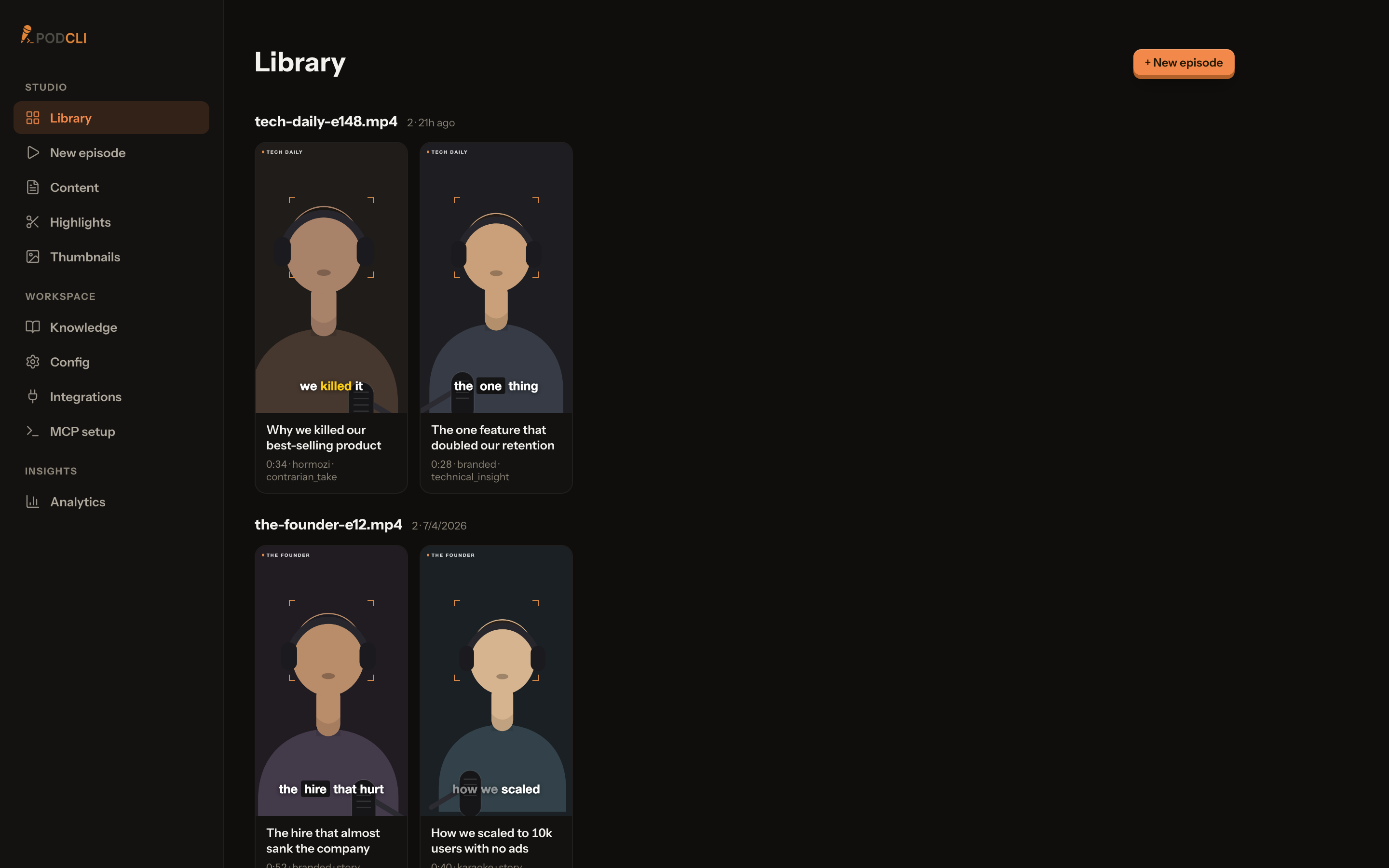
A screen with buttons that opens in your web browser. Drop in an episode, look over the clips Podcli picked, and download the ones you like.
The command line
For people who automate
Type instructions instead of clicking. Useful for running a whole season overnight or wiring Podcli into your own tools.
Inside your AI agent
For anyone who already works with one
Podcli plugs into the agent you already use, like Claude Code, Codex, or any MCP app. Ask in plain words and it runs Podcli.
All three come in the same free install and run the same engine, so the clips come out the same whichever you pick.
The editing jobs you stop doing by hand
Everything below happens on your computer, after you finish recording.
The speaker stays in frame
Podcli watches whose mouth is moving and cuts the vertical frame to them. Try the buttons to pin the frame yourself.
See which clips worked
Connect YouTube and Podcli pulls views, retention, and click-through for each clip, then ranks them by kind of moment. Your AI agent reads those results when it picks the next batch.
Sample numbers. Views per kind of moment, last 30 days.
A week of posts from one episode
You choose how many clips you want. Podcli marks the strongest moments across the whole episode.
Your logo on every clip
Add it once in the Studio and pick one of six corners and edges. Every clip after that carries it.
What it costs
Podcli is free to use on as many episodes as you like.
- Price$0
- WatermarkNone
- Monthly limitNone
- Video uploadedNone
Captions and cards in your show's style
A name card opens the clip, captions follow the speaker, and cards take the frame between lines.
Captions
Cards
A band above the captions. The speaker keeps the top of the frame.
Style packs are set from the command line.
Run it yourself, or let us run it
The open-source app does the whole job on your computer. Podcli Cloud is for teams who want it hosted.
Podcli
Free, open sourceThe full app on your own computer. Everything on this page is in it.
- The Studio, the command line, and tools for your AI agent
- Your video stays on your computer
- Free, with no watermark or episode limit
- Optional AI scoring with your Claude Code or Codex login
Podcli Cloud
WaitlistThe same clipping, hosted by us, with tools for a team.
- Clips render on our machines, so your laptop stays free
- A shared place for your team to review and approve clips
- Thumbnails and your brand kit in one workspace
- Numbers from your published clips, read back automatically
Questions
Something missing? support@podcli.com
Is Podcli really free?
Yes. Podcli is free and open source under AGPL-3.0, with no watermark and no limit on episodes. AI clip scoring is optional and uses your Claude Code or Codex login, or an Anthropic API key. Without them, Podcli scores clips on its own.
Do I need to know how to code?
No. After installing, you work in the Studio, a normal screen with buttons that opens in your web browser. Installing means pasting one line into your computer's terminal, and the install guide shows exactly what to paste.
Does Podcli upload my recordings?
Your video stays on your computer. Transcribing, cropping, and exporting all happen there. If you turn on AI scoring, the transcript text goes to Claude, Codex, or Anthropic. If you pick AssemblyAI for transcription, the audio goes to AssemblyAI.
What is the difference between the Studio, the command line, and using Podcli in an AI agent?
They are three ways to drive the same app. The Studio has screens and buttons. The command line is for typing instructions and automating batches. Inside an AI agent, Podcli adds its tools to the agent you already use, like Claude Code, Codex, or any app that supports MCP, so the agent can run it when you ask in plain words. One install gives you all three, and they share the same engine.
What is Podcli Cloud?
A hosted version, currently on a waitlist. It renders clips on our machines instead of yours, gives your team a place to review and approve clips, keeps thumbnails and your brand kit in one workspace, and reads the numbers your published clips came back with.
Which computers does it run on?
Macs with Apple Silicon, Windows (x64), and Linux (x64 and arm64). Intel Macs are not supported. Podcli uses your graphics hardware to export faster when it can, and falls back to the processor when it can't.
What do the clips look like?
Vertical 9:16 videos for TikTok, Reels, and Shorts, with captions timed to each word and your logo if you add one. Podcli can also export 16:9 and square 1:1.
How is this different from OpusClip and other hosted clippers?
Hosted clippers charge a monthly fee, cap your minutes, watermark free exports, and need you to upload the episode. Podcli is free, has no cap or watermark, and keeps the file on your computer. See the full comparison.